Skip to content
  • Eye-candy 2026

    Tyson
    9
    0 Votes
    9 Posts
    30 Views
    subdesS
    Nice
  • Repositorio Xanmod

    Kernels
    7
    0 Votes
    7 Posts
    32 Views
    subdesS
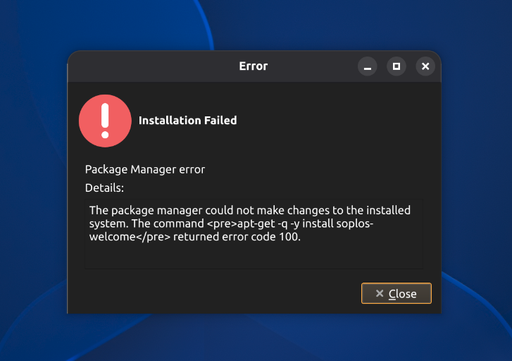
    Tienes nueva versión de Welcome con los repos corregidos
  • Hello From Sweden

    Tyson
    9
    0 Votes
    9 Posts
    84 Views
    subdesS
    Hi again, Techy! Great to hear Soplos has become your definitive daily driver. And really interesting that Steam games are loading faster than on other distros — with your rig (Ryzen 7 9800 + RTX 5070 Ti) that's a real stress test, so that feedback carries a lot of weight. Thanks for continuing to share your experience in such detail, it's really appreciated. Enjoy the gaming!
  • Tyson is replacing my current operating system!

    Tyson
    4
    0 Votes
    4 Posts
    43 Views
    subdesS
    Yes! I'm the creator of Soplos And thanks for the clarification on Tyron vs Tyson — glad the beta experience was enough to convince you to make Soplos your daily driver. Welcome aboard!
  • Grub

    Tyson
    4
    0 Votes
    4 Posts
    54 Views
    subdesS
    No hay de qué
  • Dudas de instalación de Tyson (particiones y Secure Boot)

    Tyson
    2
    0 Votes
    2 Posts
    20 Views
    subdesS
    ¡Hola takoyaki15, bienvenido! Vamos por partes: Particionado entre los dos discos Con un NVMe (más rápido) y un SATA SSD (más lento), lo más habitual es: NVMe (1TB): sistema completo (/), ahí es donde más se nota la velocidad — arranque, apps, compilación si programas. SATA SSD (2TB): /home como partición separada, montado ahí. Ideal para proyectos, juegos instalados (Steam), librerías de emulación, etc. — cosas que pesan pero no necesitan la velocidad máxima del NVMe. Para tu caso (dev + gaming), yo montaría / en el NVMe y /home en el SATA. Si luego quieres separar aún más (por ejemplo, tener la carpeta de Steam en el NVMe para tiempos de carga mejores en Halo), puedes montar un subdirectorio específico ahí con un bind mount, pero para empezar no compliques la instalación. Btrfs vs Ext4 Para tu perfil, yo recomendaría Btrfs: Snapshots automáticos (con Timeshift o similar) — si algo rompe tras una actualización, vuelves atrás en segundos. Muy útil cuando estás aprendiendo Linux. Compresión transparente (zstd) — ahorra espacio sin coste real de rendimiento. Subvolúmenes, útil para separar /home, /var, etc. si más adelante quieres afinar. Sobre lo que leíste de que "afecta a los SSD": eso viene de la época de discos con TRIM problemático o configuraciones antiguas. Hoy en día con discard=async o un timer de fstrim semanal (que Soplos ya trae configurado), no hay ningún problema real de desgaste en SSD/NVMe modernos, ni con Btrfs ni con Ext4. No te preocupes por eso. Ext4 sigue siendo perfectamente válido si prefieres algo más simple y "de toda la vida", pero para tu caso (aprendiendo Linux + quieres poder deshacer cambios) Btrfs te va a dar más margen de seguridad. Secure Boot Sí, hay que desactivarlo para instalar. Después de la instalación: Si vas a usar los drivers propietarios de NVIDIA (recomendado para tu RTX 2060, mejor rendimiento en juegos que con Nouveau), lo más sencillo es dejar Secure Boot desactivado. Los drivers de NVIDIA no vienen firmados por defecto, y aunque existe la opción de firmarlos tú mismo (MOK enrollment), añade complejidad extra sin mucho beneficio real para un uso de escritorio/gaming. Si no te preocupa Secure Boot (la mayoría de usuarios de escritorio no lo necesitan salvo por políticas corporativas o algún softwar específico), déjalo desactivado y ahórrate dolores de cabeza con los drivers. Cualquier duda durante la instalación, aquí estamos. ¡Suerte con el cambio a Linux!
  • Needed distro for new laptop - Soplos Tyson is it!

    Tyson
    2
    1 Votes
    2 Posts
    39 Views
    subdesS
    Hi HappySoplosUser, welcome from Canada! Awesome to hear Soplos is running well on such fresh hardware — Panther Lake support this early is no small thing, so glad it's mostly smooth sailing on the XPS 16. Regarding the webcam (Intel IPU7) — that's a known pain point across the whole Linux ecosystem right now, not something specific to Soplos. IPU7 support is still maturing in the kernel/libcamera stack, so most distros are in the same boat until upstream support catches up. We'll keep an eye on it and pull in improvements as soon as they land upstream. Really glad the extra tools are actually proving useful rather than just clutter — that's exactly the goal. Thanks for giving Soplos a shot and for the detailed feedback, and welcome aboard!
  • Con diferencia la distro más amigable

    Boro
    4
    0 Votes
    4 Posts
    28 Views
    subdesS
    Espero que lo disfrutes
  • Hi, All! Checking Out Soplos Tyson

    Tyson
    2
    1 Votes
    2 Posts
    54 Views
    subdesS
    Hi UncleSpellbinder, welcome and thanks for the kind words! Really glad the minimal approach is resonating with you — that's very intentional on our part. We'd rather ship a clean, focused app menu and let users add what they actually need, instead of dumping a pile of apps nobody asked for. Great to hear it's running well on the T14 Gen 1 too. Thanks for joining, and welcome aboard — looking forward to having you along for the ride!
  • 0 Votes
    14 Posts
    169 Views
    subdesS
    Prueba en apagar uno de los dos monitores, mucha gente no solo en Soplos, han reportado el tema de los 2 monitores mientras se instala
  • Greetings from Belgium

    Tyron
    4
    2 Votes
    4 Posts
    177 Views
    subdesS
    Hi there, and welcome! Great to have someone with 25+ years of Linux/Unix experience trying Soplos — that kind of feedback means a lot. Really glad to hear it's flying on your old laptop! That snappiness on modest hardware is exactly what we're aiming for — keeping things lean and avoiding bloat is a core priority for us. Thanks so much for the kind words and for giving Soplos a shot. Enjoy, and don't hesitate to drop by if you ever run into anything or have suggestions!
  • Probaré Tyson cuando se publique versión definitiva

    Tyson
    6
    0 Votes
    6 Posts
    106 Views
    subdesS
    Gabría que revisarlo. Yo uso VLC en mi MSI con nvidia en Tyson y me va perfecto. Cuando indagues me dices por si hay que retocar algo
  • Erstinstallation / Erste Eindrücke (Tyson RC4)

    Tyson
    3
    0 Votes
    3 Posts
    91 Views
    subdesS
    Hallo emaxblue, vielen Dank für den ausführlichen Bericht und dafür, dass du dir die Zeit genommen hast. Zum Soplos Grub Editor: wir haben die deutschen Übersetzungen überprüft und alle Texte des Hintergrundbild-Auswahlmenüs sind in unseren Sprachdateien vorhanden und übersetzt. Wir konnten das Problem daher noch nicht nachvollziehen. Könntest du uns bitte zwei Dinge schicken? Einen Screenshot des Dialogs, oder einfach den genauen Text, der bei dir auf Englisch erscheint. Die Ausgabe von diesem Befehl, damit wir wissen, welche Version du installiert hast: dpkg -l soplos-grub-editor Der Grund für die zweite Frage: Version 2.0.2-7 vom 29. Juli behebt bereits einen anderen Fehler, der nur auf deutschen Systemen auftrat. Möglicherweise ist auf deinem ISO noch eine ältere Version enthalten. Vielen Dank für deine Hilfe, und schön zu hören, dass dir die Distro bisher gefällt.
  • Soplos AppImage Manager - Clone the AppImage

    Applications
    3
    0 Votes
    3 Posts
    128 Views
    subdesS
    Hi FOSSCharlie! Good news — we've added exactly what you asked for. Soplos AppImage Manager now has the option to copy the AppImage instead of moving it, so you can keep the original file in your synced folder untouched while still integrating it into the menu. Update to the latest version and you'll see the option when adding an AppImage. Thanks again for the suggestion!
  • Solucionado conexion 100 mbps por hardware

    Tyson
    2
    0 Votes
    2 Posts
    101 Views
    subdesS
    Solucionado, a veces culpamos al sistema y en realidad son limitaciones de Hardware
  • Boro on Framework

    Boro
    2
    0 Votes
    2 Posts
    93 Views
    subdesS
    Hi there! Thank you so much for taking the time to share your solution. This is an excellent contribution and will surely save a lot of headaches for other users installing the system on a Framework 13 with that network adapter. We're glad to hear you have it working perfectly!
  • Tailscale on Soplos

    Applications
    2
    0 Votes
    2 Posts
    80 Views
    subdesS
    Hi! Thank you very much for sharing this information and for explaining the issue with the Tailscale installation. You are right that some automatic installers can have problems correctly detecting Debian-based distributions like Soplos Linux. We will review the information you provided to make sure users can install it properly. Regarding adding Tailscale to Soplos Welcome, it is certainly an interesting tool, although at the moment we are focused on keeping a selection of applications that covers the most common needs of our users. We will keep your suggestion in mind for the future. Thanks again for your feedback and for helping us improve Soplos!