
@subdes Ah! That did it! (editing the theme file). I also had to edit the item_height property too, to fit the larger font on a line, but it works. Thanks for the help 
H
HappySoplosUser
@HappySoplosUser
Posts
-
How to enlarge GRUB boot screen text -
How to enlarge GRUB boot screen text@subdes Hello
Thanks for the information. I tried that Font Selector thing (I selected NotoSansDisplayBold) and set the size to 50 and it says it generated it successfully, and then I clicked apply and it said it worked and updated the config, but no change. GRUB screen still really small.
It's not a huge problem, I can still read it if I try, and it's not like I need GRUB for anything on a regular basis, but it would be nice if the changes did apply.
Oh well. Probably some weird bug with Panther Lake and/or my screen. -
How to enlarge GRUB boot screen textHi again - actually I just noticed your post in a different forum section about the Soplos Grub Editor. So I just tried that. It didn't help. I switched the resolution down to 1920x1200 and also made the font 30px. But when I boot the computer it still shows everything super tiny.
-
How to enlarge GRUB boot screen textHi - I tried editing the grub file in /etc/default to specifically set a resolution that would be readable, but it's not working. Nothing changed. Do you have some custom file or setting somewhere to adjust the size of the text displayed on grub boot?
Thanks -
crash after update -
Needed distro for new laptop - Soplos Tyson is it!@subdes Hi - thank you for the quick response! Again, no problem if it's not possible or not a quick job, just thought I would mention it.
Aside from the camera issue, I am really enjoying Soplos. It's fast, stable, looks great and is working fine on my XPS. Overall a very pleasant experience. -
Needed distro for new laptop - Soplos Tyson is it!@subdes Hello again
I have no idea how much work this would be (unfortunately I'm not a kernel developer) but I noticed on Omarchy's website that they have a special version (3.5 - not sure if the fixes carried over to 4) and they've apparently created drivers for all of the Panther Lake hardware, including the camera.
See here: https://github.com/basecamp/omarchy/releases/tag/v3.5.0
"Add full compatibility with Intel Panther Lake machines using a patched 6.19.10 kernel (until 7.0 includes everything) and IPU7 camera driver for webcam compatibility by @spencerbull, @TsaiGaggery, @dhh"
Perhaps that would be available to add to your distro as well?
No worries if it's not possible yet, just thought I would mention it.
Thanks again for creating such a great distro
-
Eye-candy 2026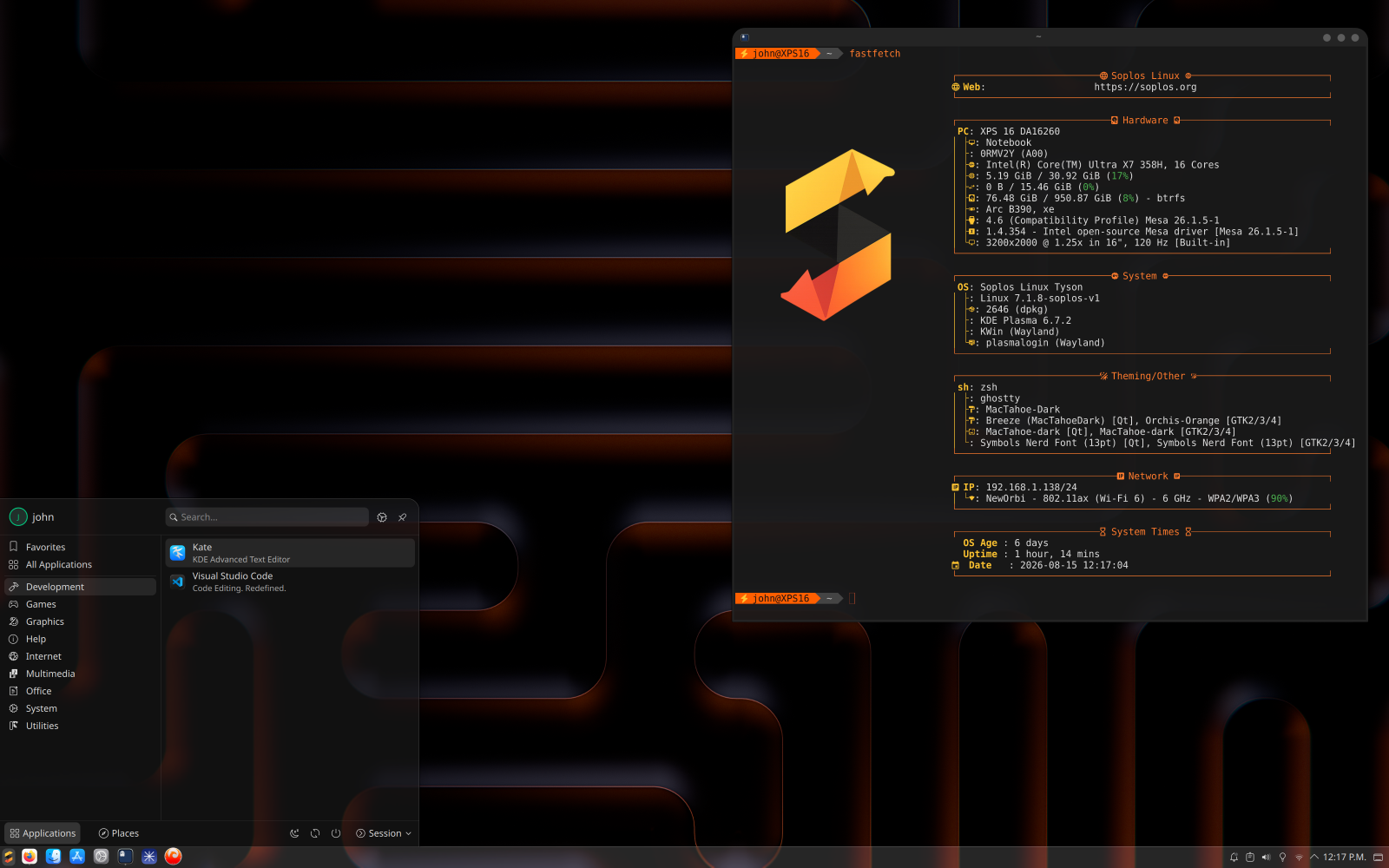
Works great on Panther Lake -
Needed distro for new laptop - Soplos Tyson is it!Hello from Canada!
I just bought the new Dell XPS 16 laptop and needed an up-to-date distro to handle the new Panther Lake hardware. I tried CachyOS and Fedora 44 and a few others, but I really prefer a Debian based system. Then I discovered Soplos and it's AWESOME!
Unlike most distros, the extra tools and custom software you include are actually helpful and useful and the distro works great on the new Panther Lake platform. (except for the webcam - Intel IPU7)
But - great looking Linux platform, based on Debian, that stays up-to-date so it works. I will be sticking with this distro. Thank you for the great work