
Issues with Ghostly on KDE
-
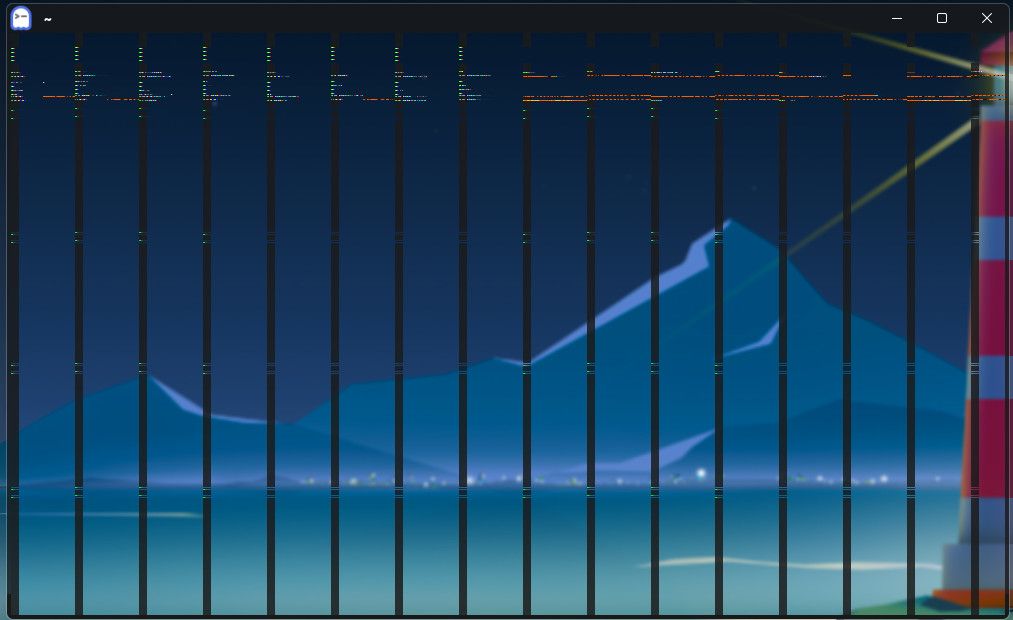
Ghostly isn't showing up correctly. Not sure how to correct this
-
Hi masterpier,
Thanks for letting us know. To find out what's failing we need a few details. Open another terminal (Konsole) and run:
lspci -k | grep -A3 -E "VGA|3D"
glxinfo | grep -E "OpenGL (version|renderer)"
If
glxinfoisn't installed, installmesa-utilswithsudo apt install mesa-utils. Please paste the output here and tell us whether it's a physical machine or a virtual machine.Also, try launching Ghostty without transparency or blur, to rule that out:
ghostty --background-opacity=1 --background-blur=falseIf it looks fine that way, the problem is the transparency and we'll look into it. If it looks the same, it points to the graphics card or the driver.
Best regards
-
Believe it or not this has corrected itself, had to make sure display drivers were correctly installed and a reboot of course. Now it's running as expected
-
Glad to hear that, masterpier!
That makes perfect sense. Those visual artifacts (the vertical lines and broken text) are the classic symptom of a graphics driver not working properly or needing a reboot to apply the changes correctly. As soon as the system loads the NVIDIA driver as it should, hardware rendering goes back to normal.
Thanks for coming back to confirm it's fixed. If it acts up again, we know where to look.
Best regards!

Hello! It looks like you're interested in this conversation, but you don't have an account yet.
Getting fed up of having to scroll through the same posts each visit? When you register for an account, you'll always come back to exactly where you were before, and choose to be notified of new replies (either via email, or push notification). You'll also be able to save bookmarks and upvote posts to show your appreciation to other community members.
With your input, this post could be even better 💗
Register Login