Hi Steven,
Thanks for taking the time to test several ISOs and for the screenshots! They've been very helpful.
The current version is 2026.10 (October), and we recommend downloading it from our CDNs. On the official website you can also find SourceForge and Torrent options. Regarding what you mention about SourceForge: each ISO lives on its own page, not in a single bucket, which is why the "Download" button may give you a different ISO than the one you're after. The safest way is to open the page of the edition you want, go to Files and pick the ISO manually, or simply use the CDNs.
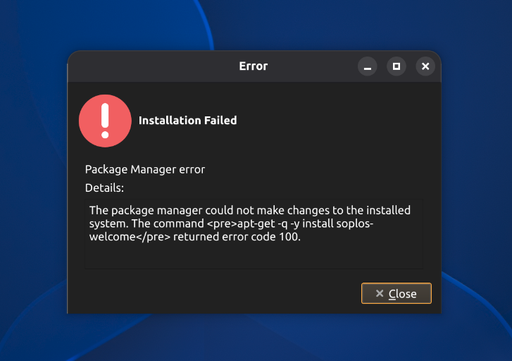
About the error: apt-get returning code 100 while installing soplos-welcome points to a connection failure during the installation. We also can't rule out a BIOS clock desync, which can cause this same error. Please try the following:
Check that the BIOS date and time are correct, and fix them if they aren't.
Make sure you have a stable internet connection throughout the whole installation. If possible, use a wired connection instead of Wi-Fi.
Install again with the 2026.10 ISO downloaded from the CDNs and let us know how it goes.
Thanks and best regards,
The Soplos Linux Team

 S
S