
VMware Workstation
-
Love this distro. Love the idea of this distro. Love the theme applied. I am coming from Nobara linux and wanted to try something new. Tried Pika OS and could not use it due to issue with GCC (even though it was installed)and vmware workstation.
Ran into issues with kernel missing C headers and default kernel. Tried every other Soplos kernel and was not able to get VMware Workstation working. Ended up using the liquorix kernel which worked.
VMware Workstation is now provided free by Broadcom if devs need to test and fix. I use VMware workstation at work (Windows 11 Guest) for Applications which will not run on Linux.
Hoping this will be addressed. But overall quite please with the direction of this Distro.
-
Hi,
Thanks a lot for the kind words and for giving Soplos Linux a try! We're glad you like the idea and the direction of the distro.
Regarding VMware Workstation: we're working on getting our kernels to support VMware, but we can't give you a date or guarantee when it will be ready.
In the meantime, we'd invite you to try virt-manager (QEMU/KVM), which is what we use on Linux ourselves. It works very well with Windows 11 guests and is available in the repositories. If you try it and need help with the setup (TPM, UEFI, VirtIO drivers...), we're happy to help.
Thanks and best regards,
The Soplos Linux Team -
Appreciate the advice. Seems like liquorix kernel didn't quite get me to where I needed to be. I will try virt-manager when possible. Thanks again for the advice and looking forward to a fix for VMware.
-
Hi masterpier,
Thanks for letting us know how it went. virt-manager (QEMU/KVM) is a solid option in the meantime, and it's well integrated with the system.
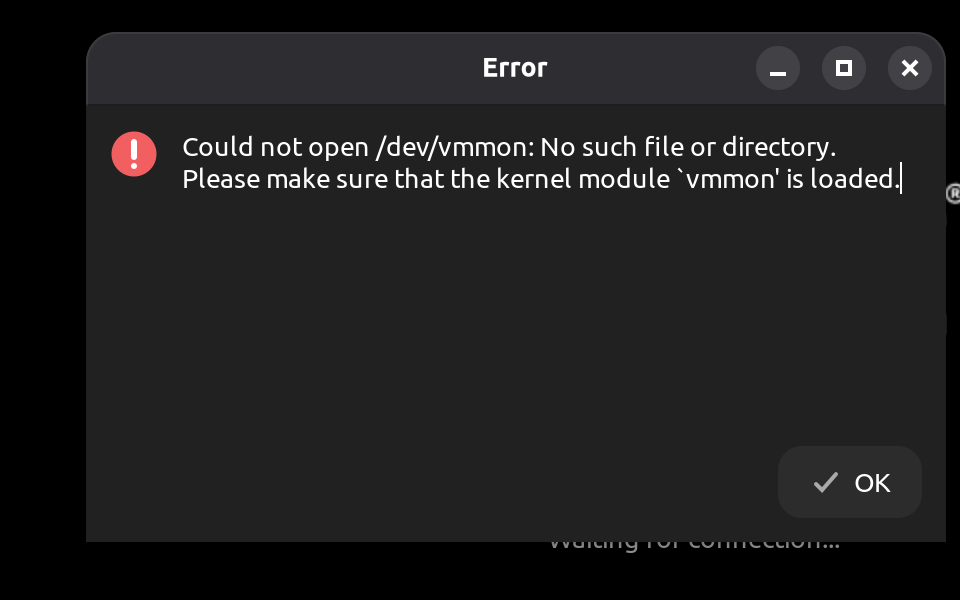
About that VMware error, here's the usual reason behind it:
vmmonandvmnetare kernel modules that VMware ships as source code and compiles on your own machine against the kernel you're running. The Linux kernel doesn't keep a stable internal interface for modules built outside of it, so any change in the kernel's internals can break them. These two modules also touch low-level parts (memory management, CPU virtualization, networking) that change often between kernel versions, and VMware doesn't update them quickly. The result is that with recent kernels the build often fails until the community patches it, and this happens on other distros too, not just Soplos.When the build fails, the module is never loaded and
/dev/vmmondoesn't exist, which is exactly what your error says. KVM, which virt-manager uses, is part of the kernel itself, so it doesn't have this problem.Thanks as well for the screenshot and the feedback.
-
Hi masterpier,
Good news — we've just built a package that solves exactly this.
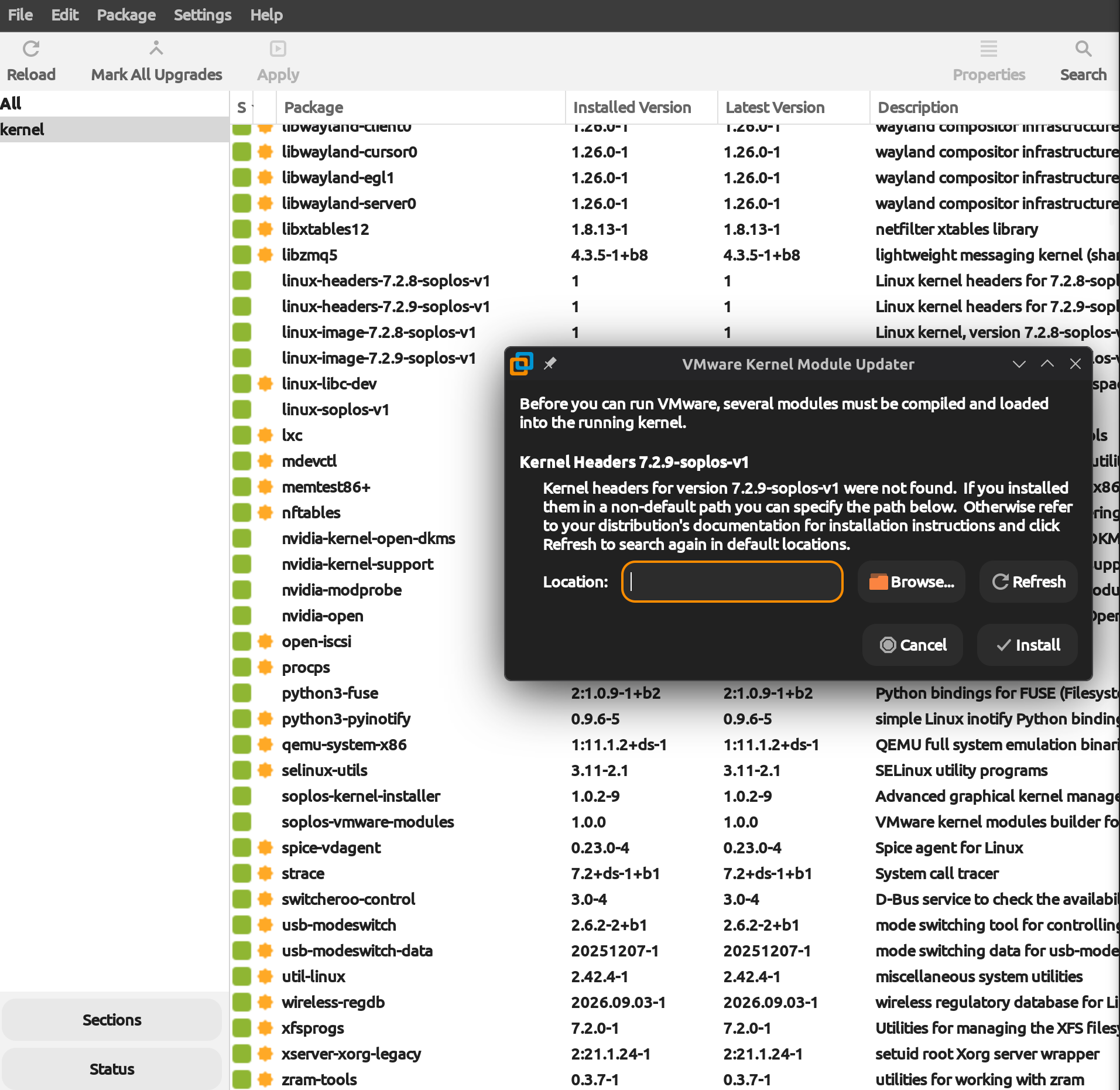
soplos-vmware-modulesis a.debwe're working on that automates the whole process: it compilesvmmonandvmnetagainst all your installed Soplos kernels, configures thevmware.servicesystemd unit, sets up module autoloading at boot, and includes a kernel hook so every time a new kernel is installed the modules are rebuilt automatically — no manual steps needed.If you want to test it before it hits the repos, you can grab the
.debdirectly and install it with:sudo apt install ./soplos-vmware-modules_1.0.0_amd64.debYou'll need VMware Workstation already installed (the
.bundlefrom Broadcom), and kernel headers for your kernel (linux-headers-$(uname -r)). The rest is handled automatically.Let us know if it works for you — your feedback would be very helpful before we push it to the repository.
-
Wow great work. Deb file works as expected. Please integrate this in future ISOs. At lunch but was able to get an ISO working in VMWare expect Windows will work the same way. I am in love with this distro. Tried to upload a screenshot to show vmware in action but there's a size limit on uploads will try to shrink and upload later.
THanks again -
Hi masterpier,
Great that it's working for you! Thanks for testing the package and for the feedback.
There's no need to include it in the next ISO: the package is already in the repositories, so anyone who needs it can install it with:
sudo apt install soplos-vmware-modulesIf it ever breaks after a kernel update, let us know and we'll look into it.
Thanks for your patience.
-
-
FYI got it to work on Tyson. Seems script on welcome screen didn't fully run your fix. Had to remove it and run it from Terminal to get it to work. Also Tyson seems to run much better than Gnome in terms of resource usage, responsiveness and overall performance. I enjoy gnome but KDE might be my DE of choice going forward.
-
Hi masterpier,
Great that it's working for you on Tyson, and thanks for sharing your impressions on performance and KDE!
About the welcome screen script: it installs exactly the same package (
soplos-vmware-modules) as doing it from the terminal, and it has worked fine for other users. Most likely your system just needed updating before using it. It's always a good idea to do that before installing anything from the welcome screen:sudo apt update sudo apt full-upgradeIf it fails again after updating, let us know what message it showed and we'll take a look.
Thanks for your feedback and for supporting the project.
Best regards,
The Soplos Linux Team

Hello! It looks like you're interested in this conversation, but you don't have an account yet.
Getting fed up of having to scroll through the same posts each visit? When you register for an account, you'll always come back to exactly where you were before, and choose to be notified of new replies (either via email, or push notification). You'll also be able to save bookmarks and upvote posts to show your appreciation to other community members.
With your input, this post could be even better 💗
Register Login