
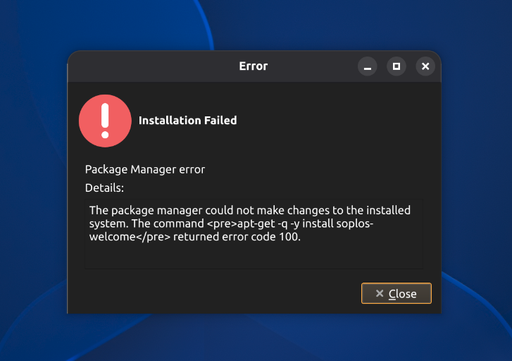
Installation Failed
-
Hello! I hopped onto Boro last night and got this installation failed message. I meant to try again as i've encountered installation issues in the past, and a second go would get me through. Anyway, I wanted to bring it to your attention, just in case. Good-looking, solid distro, by the way.
-
Hi Steven,
Thanks a lot for the kind words and for letting us know! This is really helpful for polishing the installer.
To help us reproduce the failure, could you give us a few more details?
- Which Boro ISO did you use (name and download date), and did you verify its checksum?
- Did you install on real hardware or in a virtual machine? If real hardware, which machine and which disk (NVMe, SATA...)?
- What was the exact error message, and at which point of the installation did it appear? A screenshot or photo would help a lot.
- What installation issues have you run into on other occasions? There may be a pattern.
Thanks and best regards,
The Soplos Linux Team -
Aboslutely! You're very welcome, Sergi, and thank you for the reply.
- I downloaded it yesterday, so 10/3/26 for me. 2026.09 version. I did NOT verify the checksum, but I've had that nagging me for a little bit now. I'll certainly do that from now on. Thank you.
(Side note: I needed to redownload it. On Sourceforge, clicking "Download" downloads Tyron.
One must go to the Boros page and navigate to Files and manually select Boros, for download.
Tyron is there within the files and is on top. So, it must be automatically grabbing that one.-
Real Hardware. On a Dell Latitude 7320, NVMe.
-
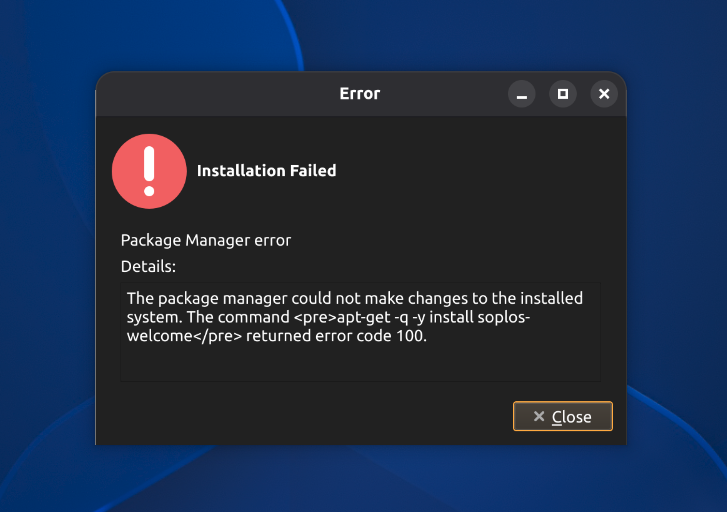
I apologize. I attatched the image, or so I thought. I can't so for certain when the error occured, but I believe it was towards the end or at the end of the install.
-
Again, I apologize for not being clear. I was referring to other linux distros that have failed during install and by giving it a second go, they'd successfully install.
Extra Credit I'm about to try and install Soplos now and will report back.
Thanks!
-
Update: I can't be sure if I downloaded Boro 2026.09 from Sourceforge, or 2026.10 from the Soplos website, when I had the issue.
I'm now downloading 2026.10. I'm going to go ahead and try to install both 2026.09 and 2026.10.
I was unable to find the checksum for 2026.09, but 2026.10 checks out and is good for boot.
Also, it's worth mentioning I'm using Ventoy and likely did when the issue occured, if that's anything.
-
Ok! I unfortunately got the error message on both tries of installing 2026.09 and 2026.10, as well as Tyron 26.10.
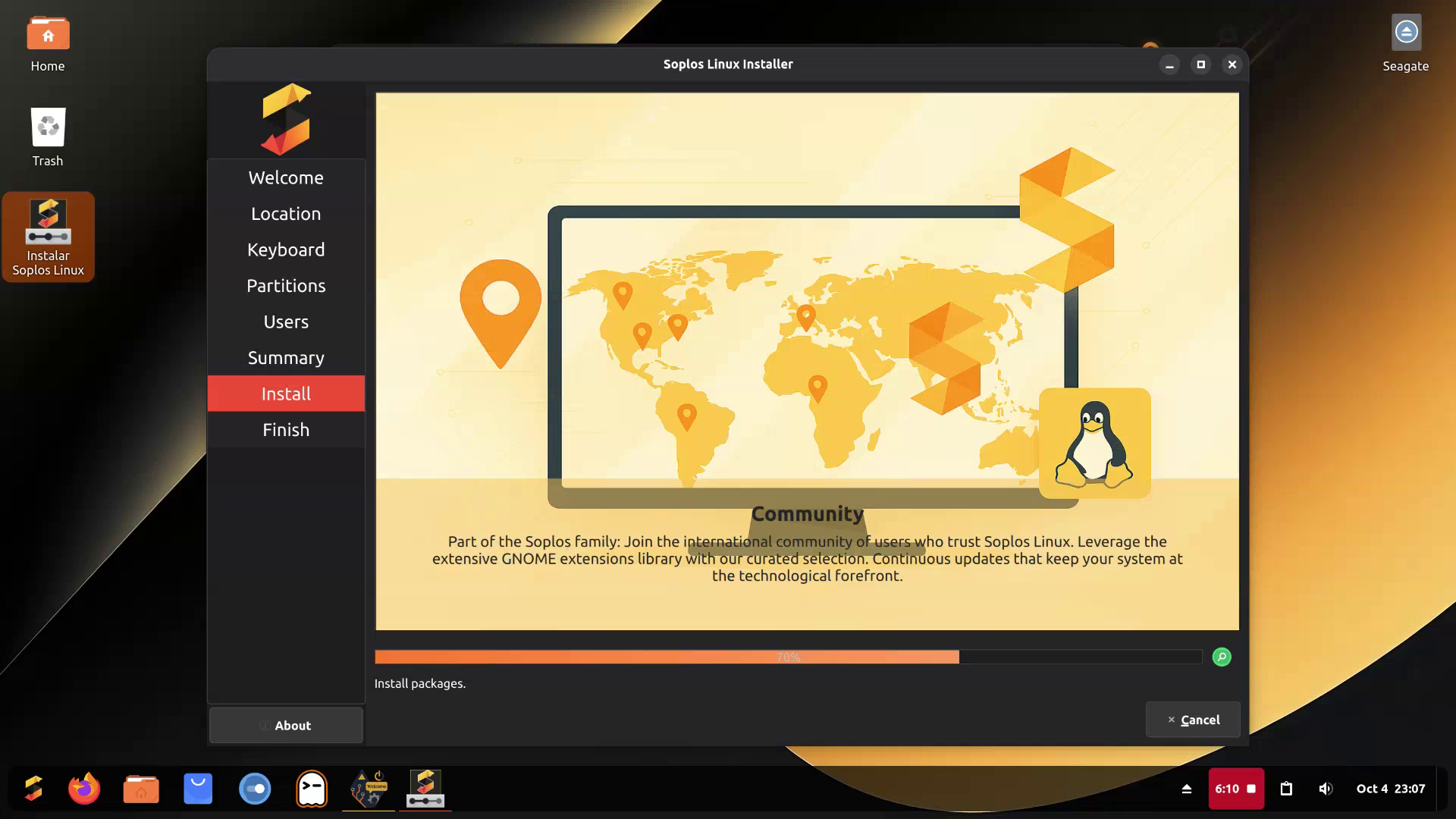
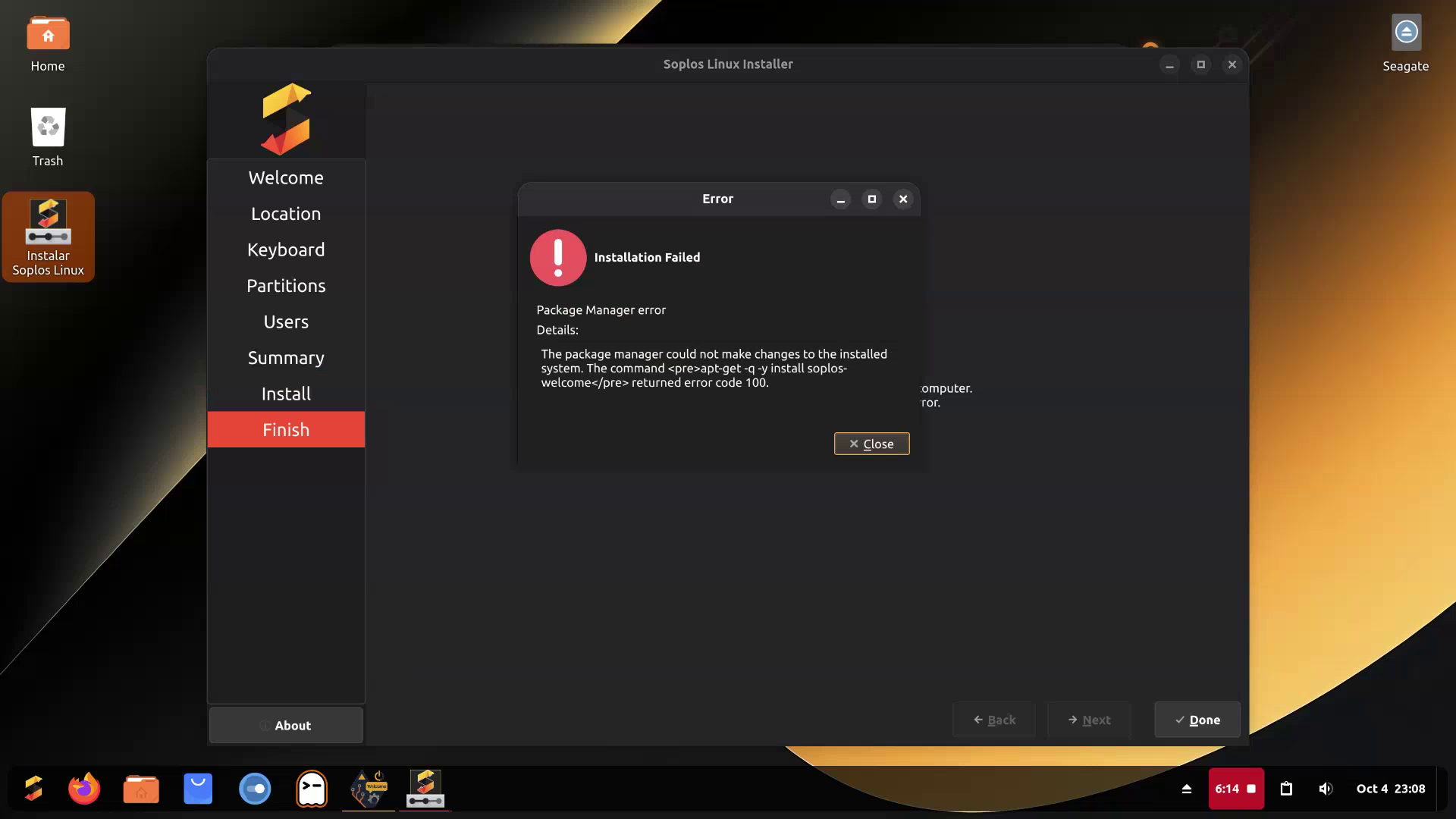
Each time it makes it to "Install packages." at the end of the install and the error occurs. However, if you're able to see the images below, it shows "Done" on the bottom right-hand corner and "Finish" on the left-hand side.
In case the images don't show up, the error message is:
Installation Failed
Package Manager error
Details: The package manager could not make changes to the installed system.
The command <pre>apt-get -q -y install soplos-welcome</pre> returned error code 100.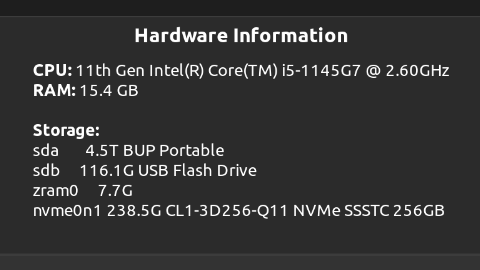
-
Hi Steven,
Thanks for taking the time to test several ISOs and for the screenshots! They've been very helpful.
The current version is 2026.10 (October), and we recommend downloading it from our CDNs. On the official website you can also find SourceForge and Torrent options. Regarding what you mention about SourceForge: each ISO lives on its own page, not in a single bucket, which is why the "Download" button may give you a different ISO than the one you're after. The safest way is to open the page of the edition you want, go to Files and pick the ISO manually, or simply use the CDNs.
About the error:
apt-getreturning code 100 while installingsoplos-welcomepoints to a connection failure during the installation. We also can't rule out a BIOS clock desync, which can cause this same error. Please try the following:- Check that the BIOS date and time are correct, and fix them if they aren't.
- Make sure you have a stable internet connection throughout the whole installation. If possible, use a wired connection instead of Wi-Fi.
- Install again with the 2026.10 ISO downloaded from the CDNs and let us know how it goes.
Thanks and best regards,
The Soplos Linux Team


Hello! It looks like you're interested in this conversation, but you don't have an account yet.
Getting fed up of having to scroll through the same posts each visit? When you register for an account, you'll always come back to exactly where you were before, and choose to be notified of new replies (either via email, or push notification). You'll also be able to save bookmarks and upvote posts to show your appreciation to other community members.
With your input, this post could be even better 💗
Register Login